
Offline POS system
An offline POS system where the till never stops
Orders, cash and khata payments, receipts, kitchen tickets and shifts all work with no internet. Everything saves on the device first and syncs in order when the line returns, with no duplicates and a list of anything the server could not accept.
The principle
A sale is never blocked by a dead connection
Cloud POS systems have a failure mode that every restaurant owner in Pakistan knows from experience: the internet drops, the screen spins, and a queue forms at the counter while someone restarts the router. Some systems offer an offline mode that is really a cache, where a few sales can be taken but payments, printing or the shift close wait for the server. The first time load-shedding lands on a Friday night, the difference is obvious.
EasAlpha is built the other way round. The till is designed to work with no internet as its normal condition, and the connection is something it uses when it has one. A sale is never held up by a stock figure, a slow server or a dead line. Everything a cashier does is saved on the device first and reaches the server when it can, in the order it happened. This page explains what that means in practice, and lists plainly what still needs the line. The till itself is a desktop app for Windows, Linux and Mac on the download page, and the full feature list is on the features page.
How it works
What happens on the till when the line drops
Six parts, each of which has to be right for an offline POS to be trustworthy.
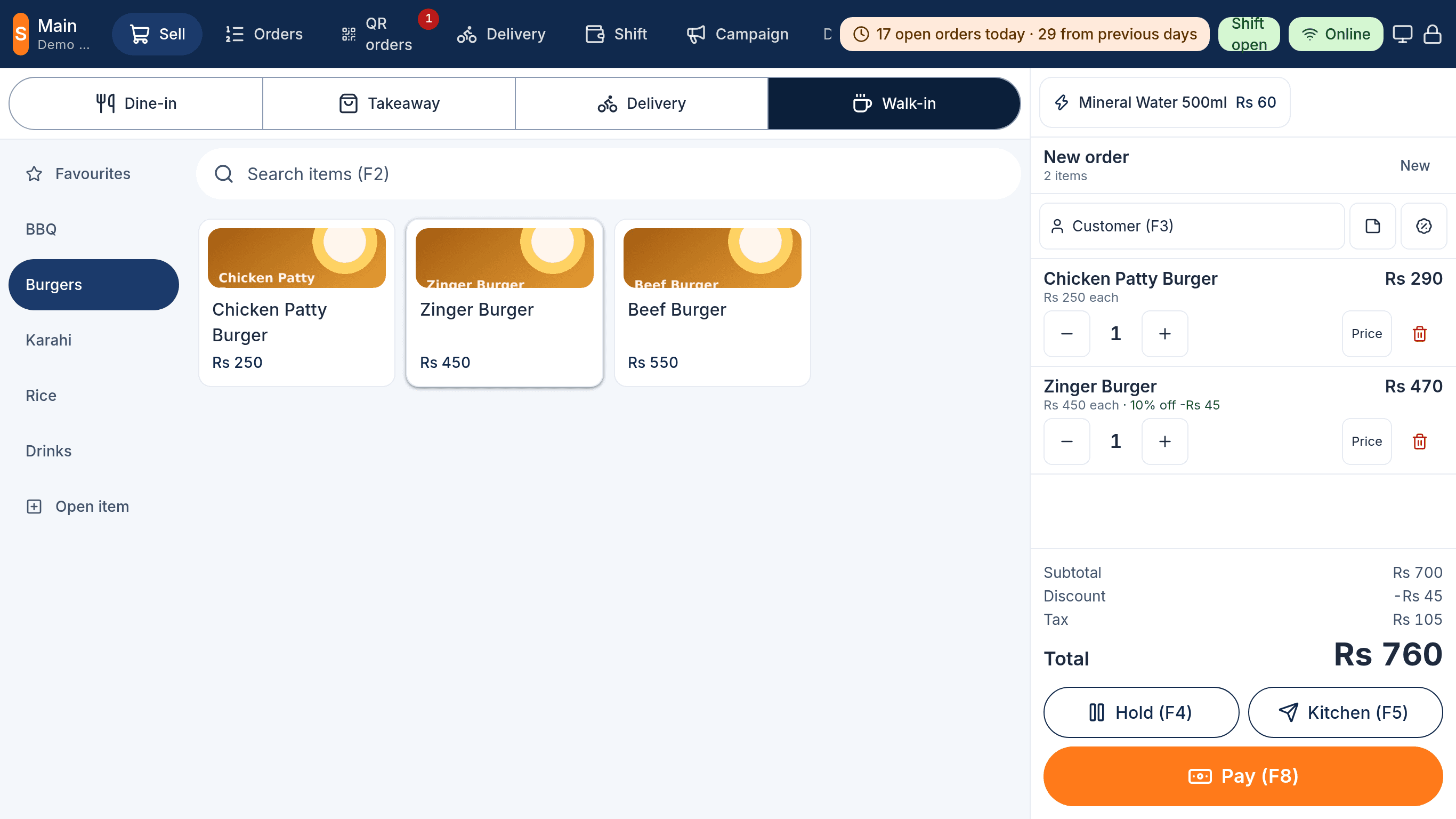
Everything the counter needs is on the device
The till keeps the menu, prices, tax rates, staff PINs and permissions, tables, open orders, the current shift and the last seven days of synced orders in its own local database. The catalog is checked against the server on launch, so a price change made in the admin panel reaches the till the next time it opens.
Save first, sync in order
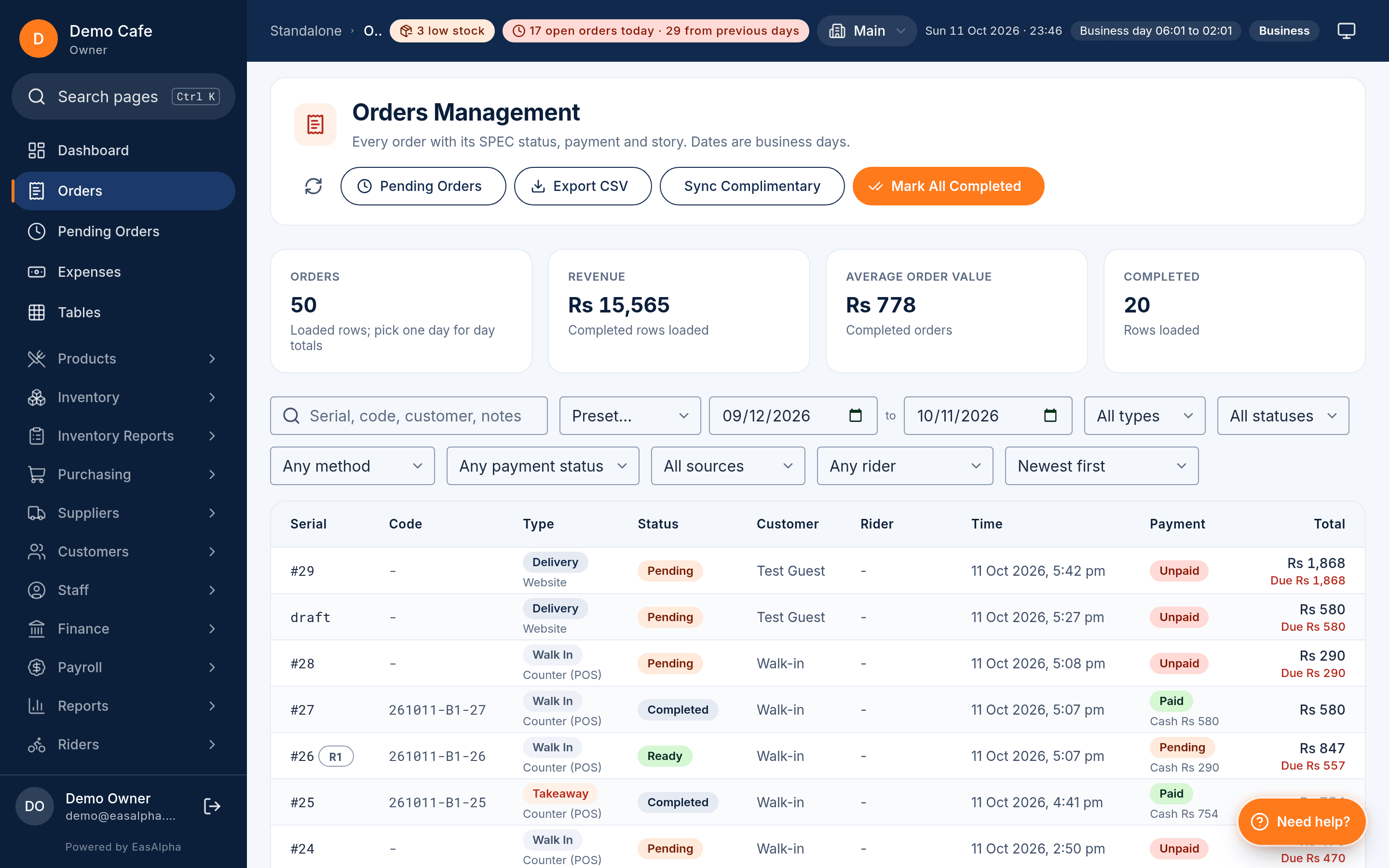
An order, an item, a payment, a void, a cash movement or a shift event is written locally first, online or not, then queued. The queue goes to the server in the order things happened, in batches, with a UUID per record as the idempotency key. A retried batch can never create a second order.
Receipts and kitchen tickets still print
The desktop app prints straight to ESC/POS printers on USB or the network, and it runs a print server that tablets print through. Receipts and kitchen tickets come out whether the line is up or not; the only thing a receipt waits for is a fiscal number, which prints on a reprint once it arrives.
Rejected records are a list, not a mystery
When the queue reaches the server, anything it cannot accept lands in Needs Attention with the reason: a product archived while the till was offline, a customer deleted, a stock figure that cannot go negative. The owner clears each one with the facts in front of them.
The owner hears about it
A push notification goes to the owner when a till stays offline longer than it should, alongside the day-close, low-stock and cancellation alerts. Nothing silently drifts for a week.
What honestly needs the line
Online wallet and card collection, the WhatsApp receipt (queued and sent later), new orders from the website, QR tables and Foodpanda, the kitchen display, live stock figures and the admin panel.
Sync
Back online: the queue drains, in order, once
When the connection returns the till shows Syncing with the count of waiting records and sends them in batches. Each record's UUID means the server accepts it exactly once, so a batch interrupted halfway and sent again cannot double an order or a payment. Fiscal invoices queued during the outage are submitted to FBR or PRA at the same time.
- Online, Offline and Syncing shown in the till's top bar with the number waiting
- Idempotency keys per record: a retry can never duplicate a sale
- Fiscal invoices and WhatsApp receipts follow the orders through the queue
Stock
Stock is never deducted twice, even after an outage
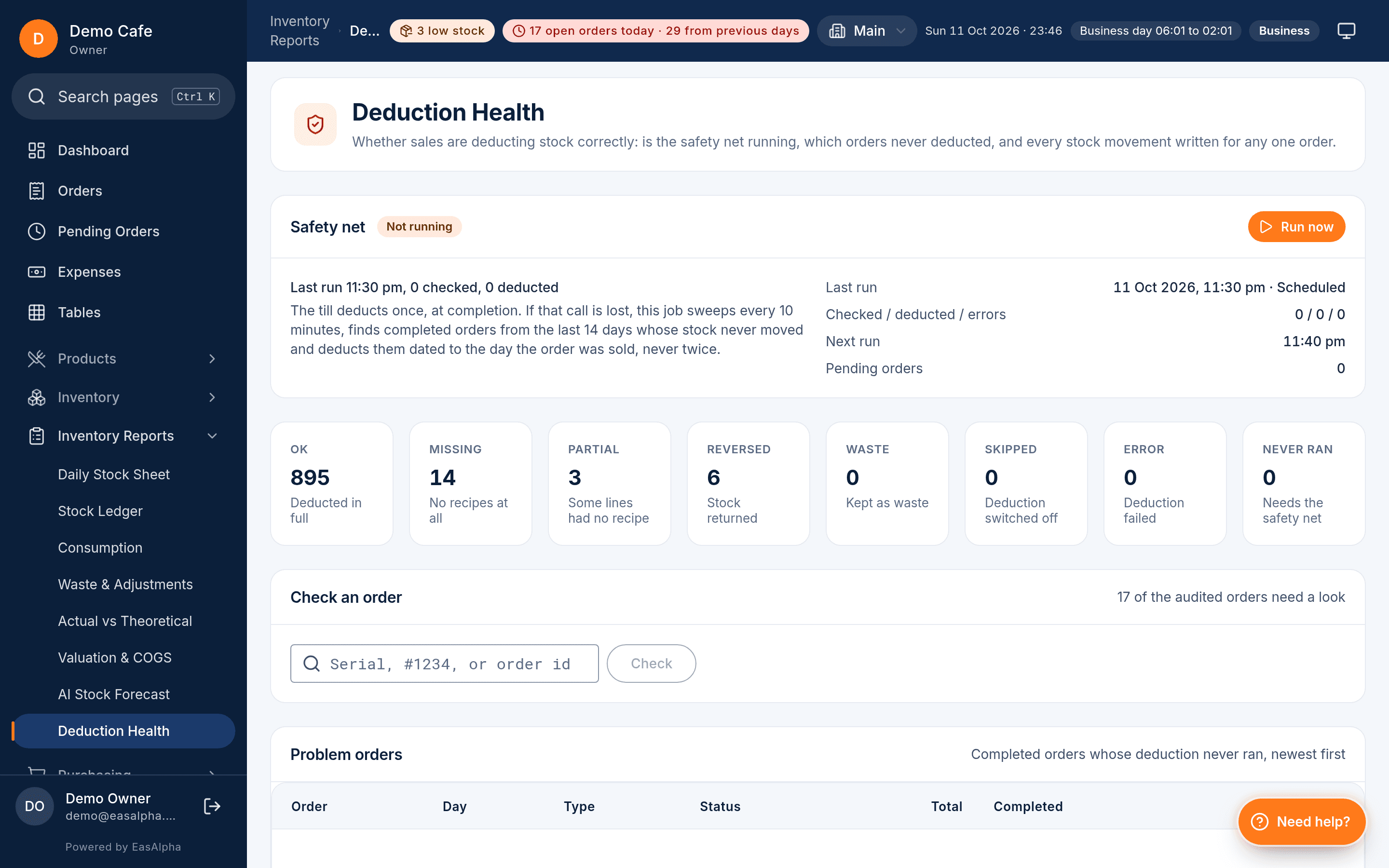
Recipe deduction happens on the server when a synced order completes, and a safety-net job catches any order that was missed. The Deduction Health screen shows deducted, pending and retried orders with a Retry button, so a week of patchy internet does not turn into a stock count that is wrong by a sack of flour.
- Deduction on completion, once, with a safety net for anything missed
- Deduction Health lists pending and retried orders
- The till shows the last known stock figure rather than guessing
Running it
A till for a generator, a UPS or neither
The desktop app installs on any Windows or Linux PC (and Mac), enables touch for terminal screens, fits a 1024 by 768 display, and has a kiosk mode for a counter that should show nothing else. On a PC without a UPS, an outage reboots the machine and the open order reopens where it was. Printers connect over USB or the network; a kitchen ticket printer is the fallback for the kitchen display while the line is down.
Offline selling is on every plan, including Starter, because it is not a feature on top of the till; it is how the till is built. Compare the plans on the pricing page, or start the 90-day trial, pull the network cable and watch the first order go through.
Questions
About working offline
What works, what waits, and how you know.
What exactly keeps working with no internet?
Can two tills sell offline at the same time?
What if the power cuts in the middle of an order?
Does the kitchen display work during an outage?
How do I know what is still waiting to sync?
Pull the cable and sell anyway
Install the till, pair it with a code and take the first order with the internet off. 90 days free, no card.
- 90-day free trial
- No card needed
- Set up in a day
Related
Keep reading
- An ArfaPOS alternativeA fair, feature-by-feature comparison with the prices both products publish today.Read the guide
- Kitchen display systemTickets per station with timers, bump and alerts, plus the token screen guests watch.Read the guide
- Restaurant inventory softwareRecipes that deduct stock on completion, actual vs theoretical, COGS and demand buckets that say what to order.Read the guide